What is OpenSCAD?
OpenSCAD builds solid models from scripts rather than direct sculpting. Configurable dimensions and constructive solid geometry make it useful for families of printable mechanical parts, repeatable patterns and designs distributed with editable parameters.
Publisher’s product informationUseful capabilities for your toolkit
- Script-defined solid geometry
- Constructive solid geometry and extruded profiles
- Parameter-driven design variations
Where OpenSCAD fits in a print project
- 01
Name the dimensions that should vary, such as hole spacing and wall thickness.
- 02
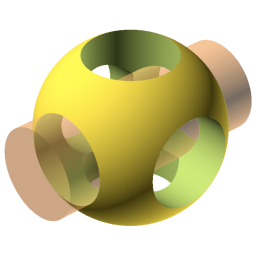
Construct the model from solids and boolean operations.
- 03
Render the final geometry before exporting, then confirm the size in a slicer.
These are planning steps, not machine settings. Use your printer and material documentation for the actual production process.
Understand the tradeoffs.
The code-first approach suits repeatability but takes a different mindset from dragging surfaces. Organic character work is better served by a sculpting application.
Common questions
Why use OpenSCAD for printable designs?
A script can expose the important dimensions directly, making it easy to produce related versions of a part without manually repeating every modeling operation.
Where can I get OpenSCAD?
Use the download now link to reach the official publisher or project. Check the current system requirements, license and available editions there. 3Dprintsy does not host installers.
Official sources & further reading
Independent editorial guide. Software names belong to their respective owners; listing does not imply endorsement. Capabilities are based on the linked publisher information. Workflow recommendations are 3Dprintsy editorial guidance.
Learn to review a sliced print · Design for fit and tolerances