Before you begin
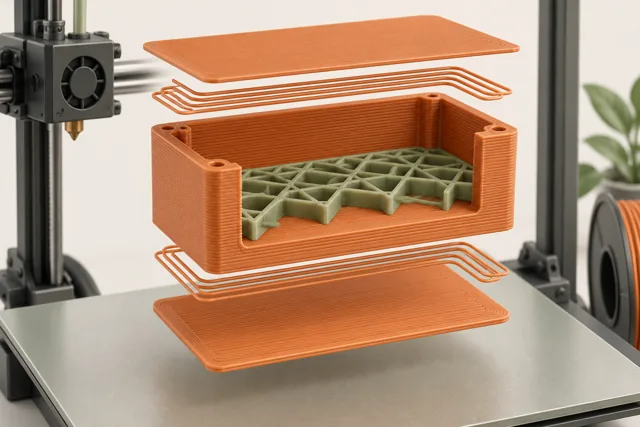
A filament part is usually a combination of outer walls, top and bottom skins, and an internal pattern. These structures do different jobs. Treating infill percentage as a single strength score hides the places where a part actually transfers force, the way its top closes, and the directions in which its layers were built.
This guide uses a small enclosure and a simple bracket as examples. The aim is to help you choose what to inspect and what to test, not to certify a load capacity from a slicer setting. Start with a supported profile, define the part's job, and put material where the design needs it.
Describe how the part will be used
Begin with the action the part must withstand: being squeezed, bent, twisted, dropped, or repeatedly assembled. A cover that protects a display primarily needs to retain its shape and fit. A clip needs controlled flexibility. A fastening boss must tolerate the particular assembly method. Those are not the same design requirement.
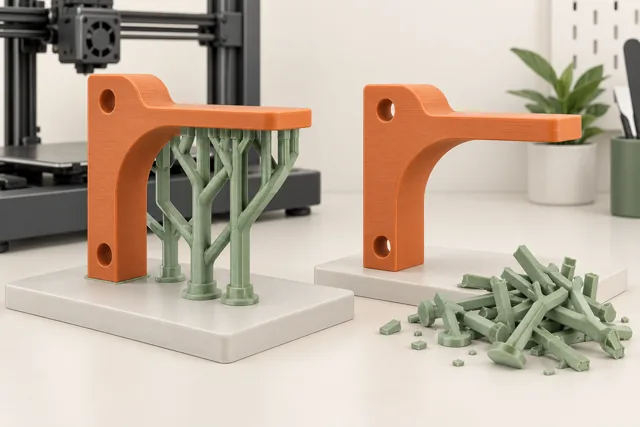
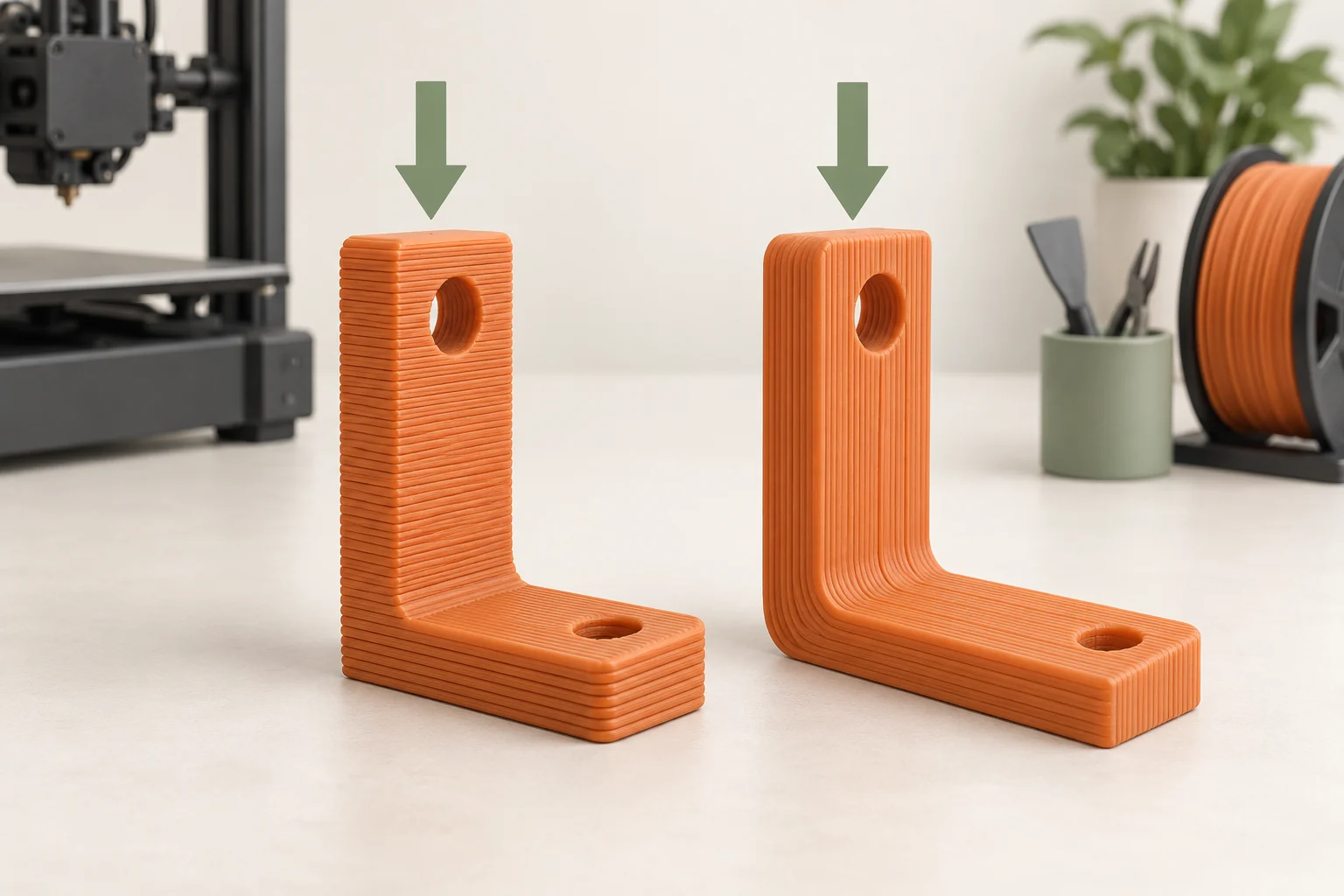
Draw a simple load path on the model: where is force applied, and where is it resisted? For a bracket, inspect the arm, its transition into the base, and the mounting region. A large volume of dense infill far from a thin failing root may add material without addressing the weakness. This is a prompt for design review and representative testing, not a calculation of safe load.
Also define an acceptable outcome. A part can survive without breaking yet bend too far to perform its job. Distinguish stiffness, damage, and fit rather than recording only 'stronger.'
Read the shell in the sliced cross-section
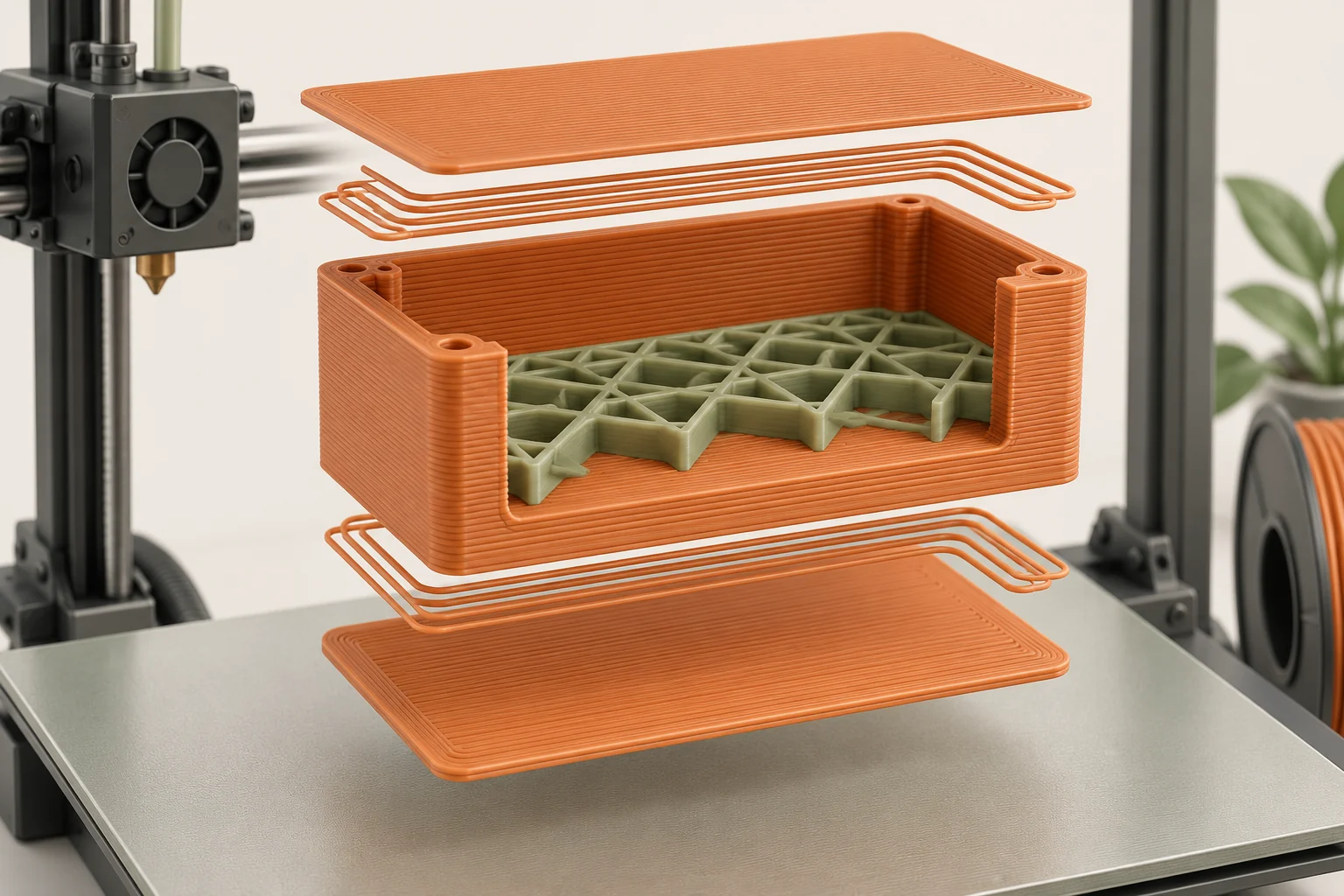
Perimeters trace the outer and inner boundaries. Top and bottom solid layers close surfaces across the interior. Infill occupies the remaining volume. View a middle layer to see how these structures actually meet, then inspect regions near holes and thin walls. The nominal wall-count setting does not tell the whole story for every geometry.
A narrow region may consist almost entirely of perimeter paths, while a broad region contains a large infill area. Raising infill percentage may barely affect the narrow region because there is little interior space left to fill. This is why previewing your own geometry is more useful than copying the settings from a very different part.
Do not estimate finished wall thickness solely by multiplying nozzle diameter by wall count. Extrusion widths and path spacing matter, and some generators adapt widths. Use the slicer's actual paths and dimensional guidance, then measure a representative printed section when the dimension is important.
Test walls and infill as separate changes
Prusa's guidance identifies perimeters as an important contributor to strength and infill as useful for supporting top layers and affecting compression resistance. Treat those as starting principles, not a universal ranking for every geometry. Load direction, shell shape, material, and print execution still matter.
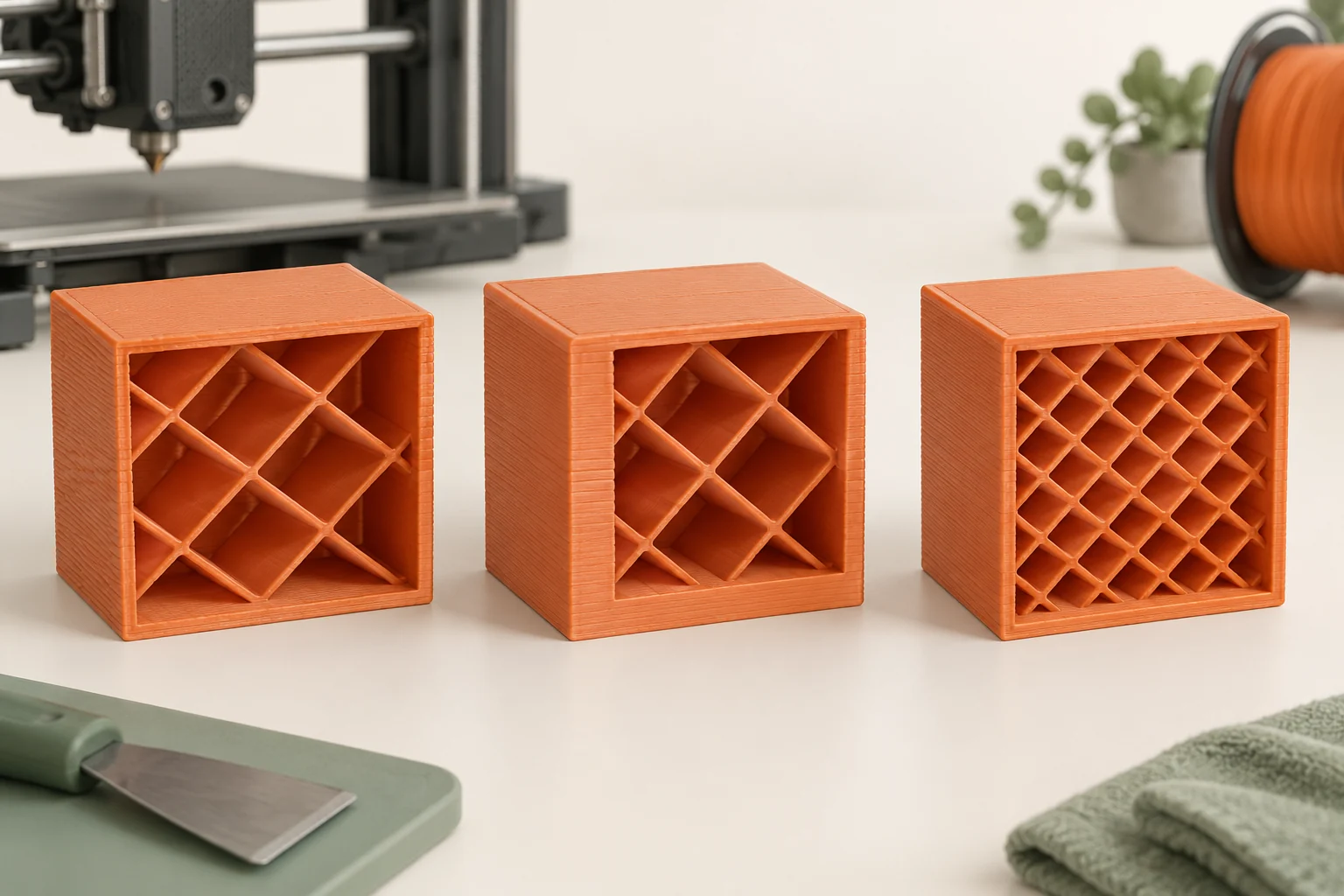
For an enclosure trial, make three labeled versions: the baseline, one with an additional supported perimeter setting, and one with increased infill while keeping the original shell. Keep the material and orientation the same. Compare material use, duration, fit, and the specific handling behavior you care about. Do not change both walls and infill and then claim you know which caused the difference.
If a screw boss splits while the large flat wall remains intact, inspect the local boss geometry and assembly method. Repeatedly filling the whole enclosure more densely is a poor experiment when the observed failure stays in the same local feature.
| Observed need | Candidate to inspect or test |
|---|---|
| Outer wall feels too flexible | Shell geometry and perimeter structure |
| Top surface sags into the interior | Top thickness, infill spacing, and closure sequence |
| Local mounting feature fails | Geometry, local material, orientation, and assembly |
| Display model is unnecessarily heavy | A lower-material interior that still supports the top |
Choose an interior pattern for a reason
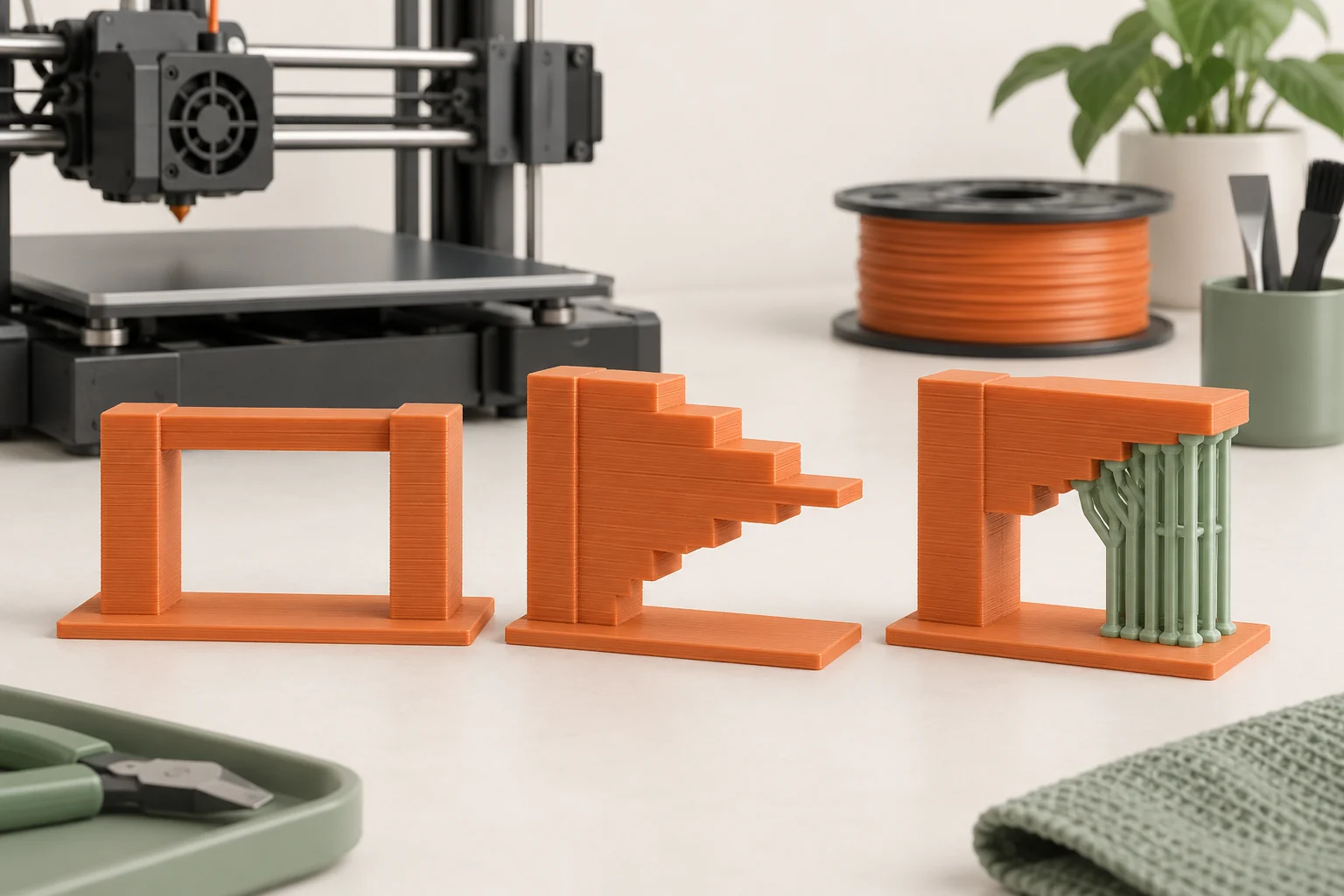
Infill patterns differ in their paths and where they place material. Grid crosses paths within a layer; gyroid creates a spatially varying structure without those same-layer crossings. Lightning branches toward upper surfaces to provide internal support while saving material. These names describe structures, not a guaranteed ranking of part strength.
For a display sculpture, a sparse interior that successfully supports the top may be useful. For a part intended to resist repeated handling, compare a pattern appropriate to that job and test the geometry. Inspect whether a large top surface spans unusually wide gaps, and watch the estimates when switching patterns at the same nominal percentage.
Keep the pattern and density distinct in your notes. A density comparison using different patterns mixes two changes. Likewise, a fast estimate does not establish good top quality or reliable behavior. The part must meet the requirement after printing, not merely look efficient in the summary panel.
Give the top surface enough support
The first top layer above an interior void must cross the gaps beneath it. Additional solid layers build on that foundation. When you see a rough or sagging top, inspect both the gap it spans and the physical thickness of the closing shell before choosing a fix.
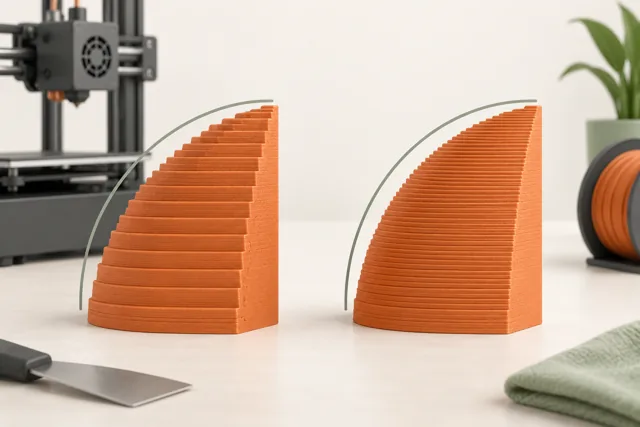
Suppose an illustrative lid uses four uniform 0.20 mm closing layers: their total is 0.80 mm. If you change to 0.10 mm layers and keep the count at four, the total becomes 0.40 mm. This arithmetic does not prescribe a suitable lid thickness; it explains why a layer-height change can alter top behavior even though the 'four layers' field stayed the same.
Slice a cross-section through the widest roof area. Review when the top begins, what supports it, and how many solid layers follow. If you change the shell or interior, compare the finished roof under the same lighting before deciding whether the change helped.
Reinforce the relevant region instead of everything
Think in terms of the actual feature. A mounting pad, a contact face, or a transition between a thin arm and a base may deserve a design change. Where your slicer supports local settings, a modifier can make an experiment more targeted, but its boundaries must be inspected in the preview. Extra interior material cannot replace a missing wall.
For fit and local print-quality checks, a full-scale coupon of the root and mounting region can save material. For a load comparison, use the complete arm with the intended load position and restraint: shortening the arm changes the bending moment at its root, even if the applied force is unchanged. A smaller or shortened bracket therefore does not automatically predict the strength or deflection of the full part.
Record where deformation or damage begins. If the failure moves after a change, that is useful information. If it remains in the same joint, reconsider the geometry, material, or orientation rather than treating higher density as the only remaining option.
Keep a useful evidence trail
Save the model revision, orientation, material, nozzle, shell settings, interior pattern, and tested outcome. For repeated parts, retain one accepted sample and a photo of the relevant feature. A file named 'strong version' loses meaning when several revisions use different materials and orientations.
A successful workshop trial establishes evidence for that particular part and test. It does not establish a general load rating, long-term durability, or suitability for a consequential application. Use the simplest configuration that meets the demonstrated requirement, and repeat the relevant evaluation when the geometry or service conditions change.
Common questions
Is 100 percent infill always best?
No. It increases material and can increase time without fixing an unsuitable shell, weak feature, poor orientation, or material mismatch. Inspect the failure and compare targeted changes before making the whole interior solid.
Why does changing infill barely change some small parts?
Thin features can be occupied mainly by perimeter paths and solid regions, leaving little sparse interior. Look at a cross-section in the preview to see which settings are actually affecting the part.
Should I add walls or more top layers?
Identify the surface involved. A flexible side wall and a sagging roof involve different structures. Review the side-wall paths for the first problem and the closing shell plus its internal support for the second.
Continue with the sources
- Infill Prusa Research · Checked 2026-10-15
- Infill patterns Prusa Research · Checked 2026-10-15
- How to Choose the Right 3D Printing Material Formlabs · Checked 2026-10-15
- Layers and perimeters Prusa Research · Checked 2026-10-15
- Modeling with 3D printing in mind Prusa Research · Checked 2026-10-15
This guide synthesizes the cited references and includes illustrative examples, not hands-on test results. Follow the instructions for your exact printer, material, and software version. Generated illustrations simplify geometry and equipment; they are not photographs, measured results, or model-specific setup instructions.