Before you begin
Layer height is the vertical thickness of each slice used to build a part. It changes how a curved or sloping surface is approximated, how many layers a job needs, and how the shell settings add up. It is one useful control among several; the smallest available value is not automatically the best choice for every object.
Choose it by identifying the feature you want to improve. A rounded shoulder, a vertical wall, and tiny lettering on a flat top ask different things of the printer. The arithmetic below uses illustrative dimensions to make those differences visible. Any actual layer height must stay within a supported profile for your installed nozzle, printer, and material.
See the staircase before choosing the setting
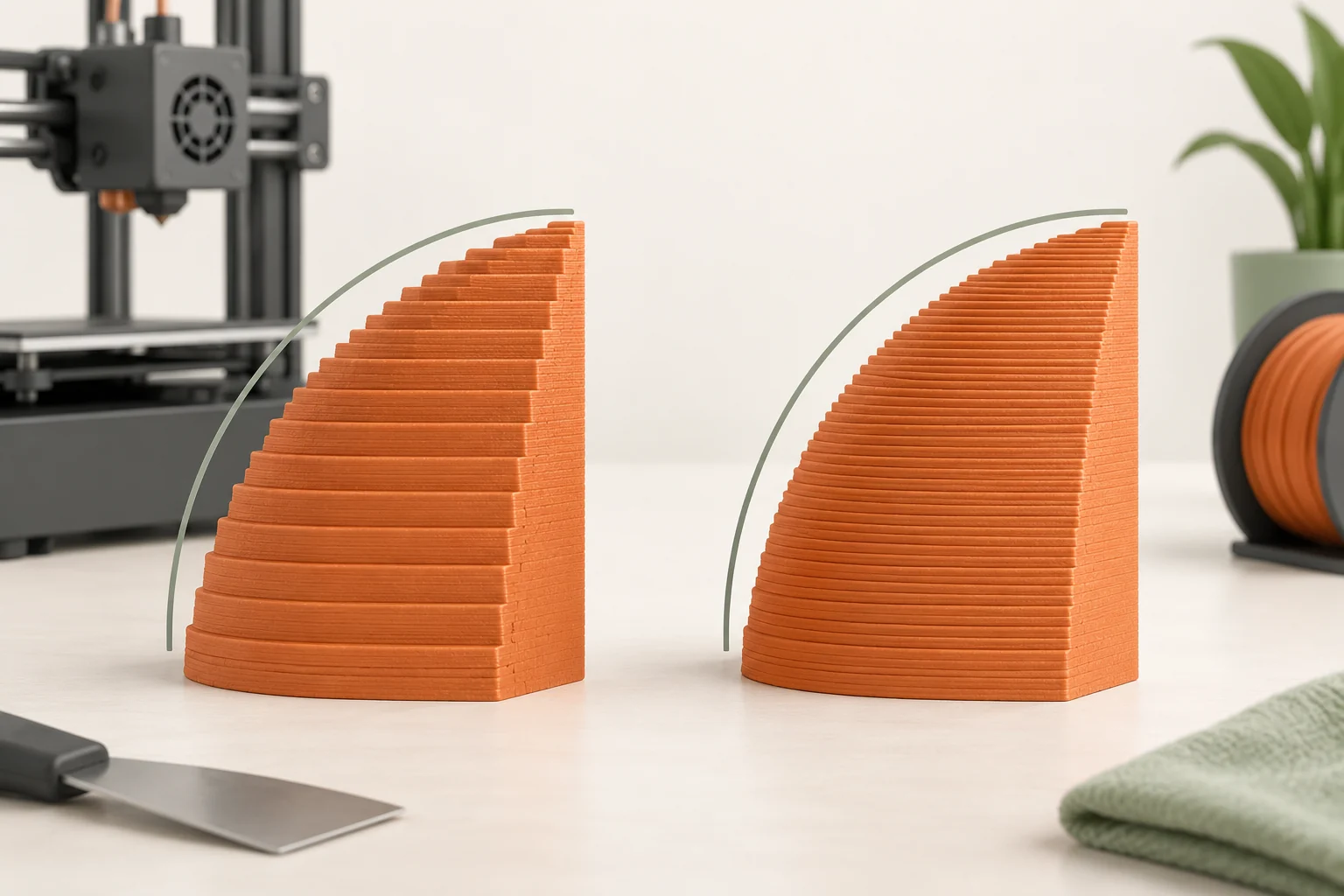
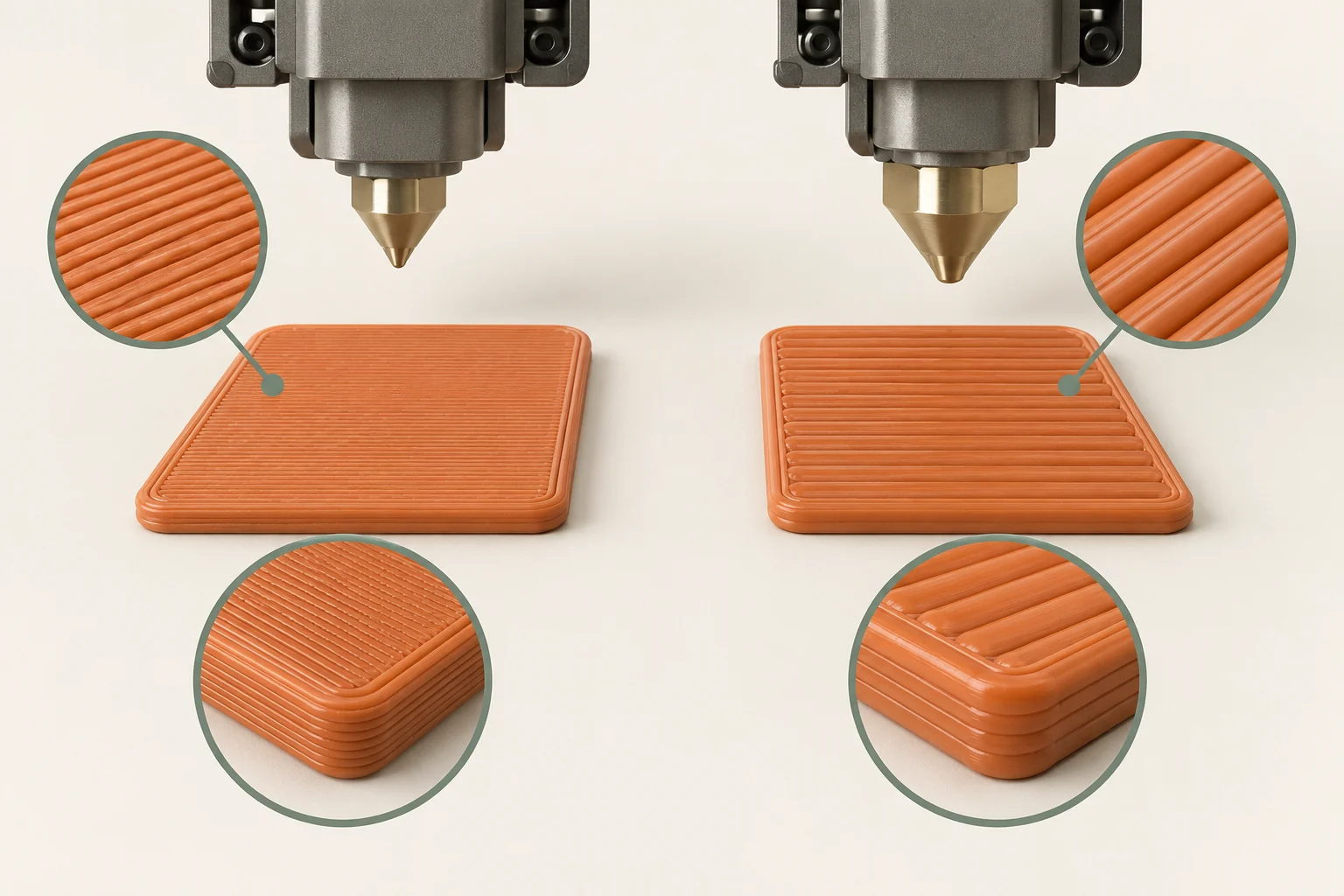
Imagine a sloping surface cut into a stack of horizontal slices. Each slice has its own outline, and the outline changes at the next height. On a vertical wall, neighboring outlines can be nearly identical. On a shallow slope, they move sideways more noticeably. The resulting steps are why layer height matters differently across one part.
A useful inspection is to rotate the model and identify surfaces that gradually approach horizontal. Those areas often display the stepping clearly. Mark them as appearance targets. If most of a part consists of straight upright walls with one rounded top, a single very fine setting may spend extra time on many layers that did not need the same treatment.
Separate height resolution from horizontal detail
Layer height acts in the build direction. Extrusion width and the generated paths also determine which features can exist across the bed. For a nameplate, lowering layer height can add more slices to the raised thickness of a letter, but it does not by itself make a narrow stroke fit between neighboring strokes.
Consider a rounded knob with an embossed logo. If the dome looks stepped but the logo is present, a finer or variable layer plan is a relevant experiment. If parts of the logo vanish in the preview, inspect its width and spacing, the nozzle choice, and the toolpaths. Those are different failures even though both may be described casually as 'not enough detail.'
The same distinction applies to holes and slots. First determine which direction the critical feature occupies and whether the intended opening survives slicing. Do not reduce layer height as a substitute for checking the geometry.
| Feature or symptom | First thing to inspect |
|---|---|
| Steps on a rounded shoulder | Layer contours and local layer height |
| Missing narrow top-facing letter stroke | Stroke geometry, extrusion paths, nozzle/profile |
| Faceted curve already visible in the model | Mesh export resolution |
| Incomplete top closure | Top thickness and the structure underneath |
Estimate layer count without promising print time
For a simple arithmetic example, a 24 mm object divided into uniform 0.20 mm slices has about 120 layers; at 0.10 mm it has about 240. These are illustrative values, not recommended settings. A separately configured first layer and slicer rounding can change the actual count. The example shows why a modest-looking height change can create many additional layers.
Twice as many layers does not guarantee exactly twice the total duration. Heating, travel, speed limits, cooling behavior, extrusion widths, and other profile choices also contribute. Slice both candidates and compare the estimates, then use actual prints to understand your machine. Distinguish the number of layers from the time required to execute their paths.
An original comparison worksheet can contain four fields: height setting, estimated duration, actual duration, and whether the target surface improved. Without the final field, it is easy to optimize a number while missing the reason you changed it.
Keep the profile consistent with the hardware
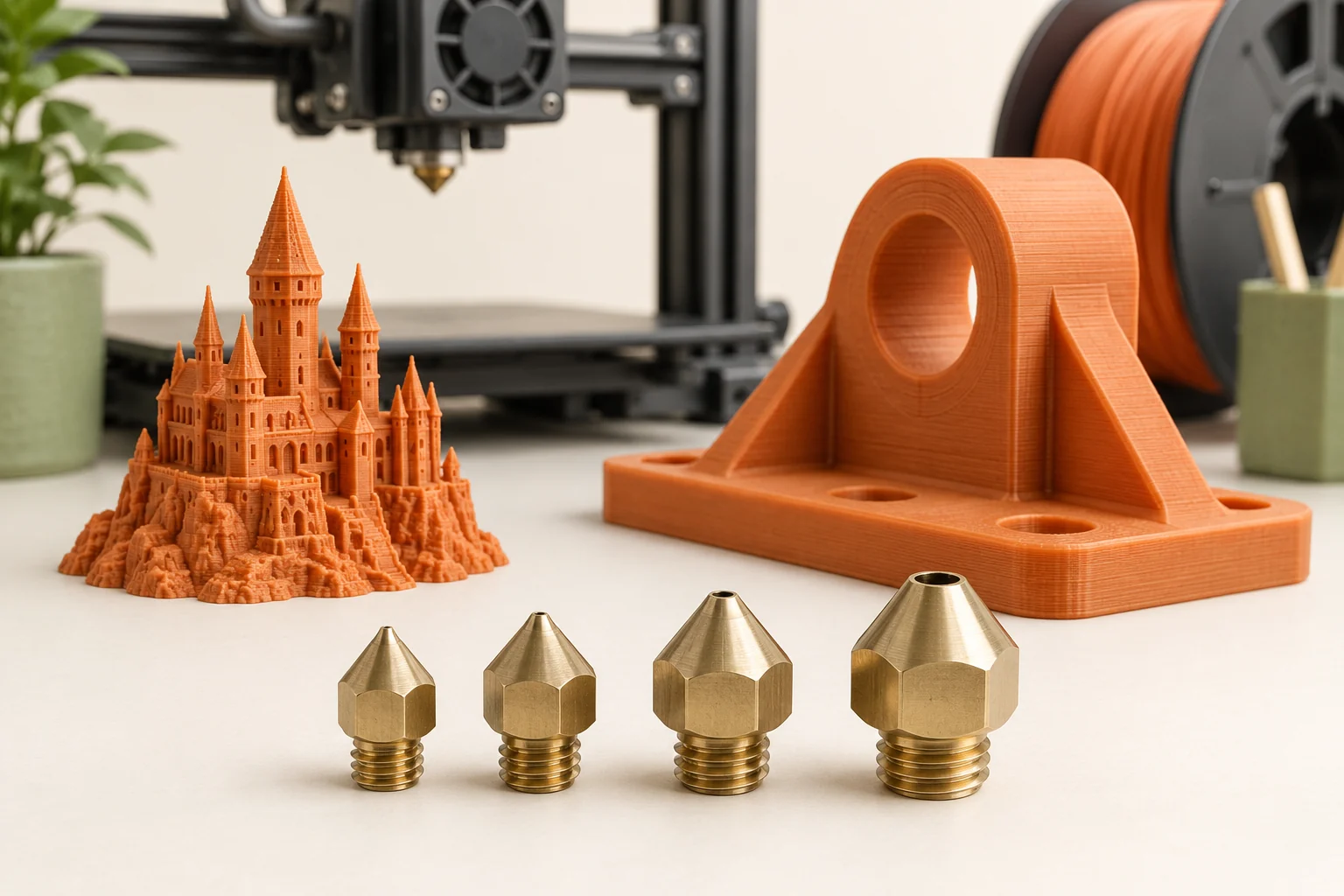
A printer lays a shaped strand, not a perfect cylindrical thread floating in space. Layer height must be compatible with the nozzle and the surrounding extrusion settings. Use the manufacturer's supported range and presets. Do not enter a tall value merely because the slicer accepts it, and do not assume an extremely small value is useful because it appears more precise.
When you change nozzle size, select a matching printer configuration and appropriate print settings. Review extrusion widths, flow limitations, and the intended material profile through the supported workflow. The nozzle is a physical component; changing a dropdown does not change the installed hardware.
If you are comparing layer heights, record whether you changed only that field or switched complete presets. Presets can modify several settings. The second comparison is still useful, but its result belongs to the whole preset rather than to layer height alone.
Recalculate the top and bottom shells
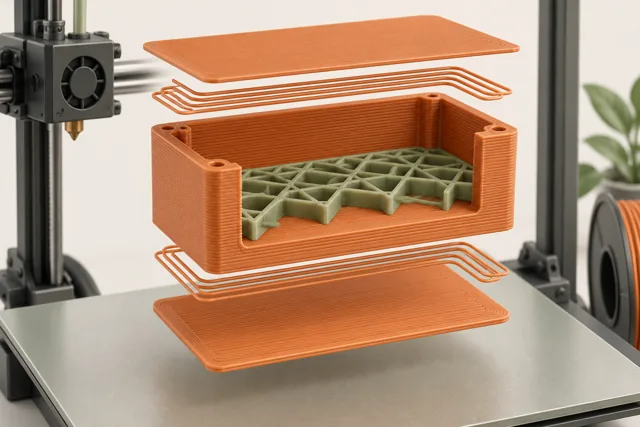
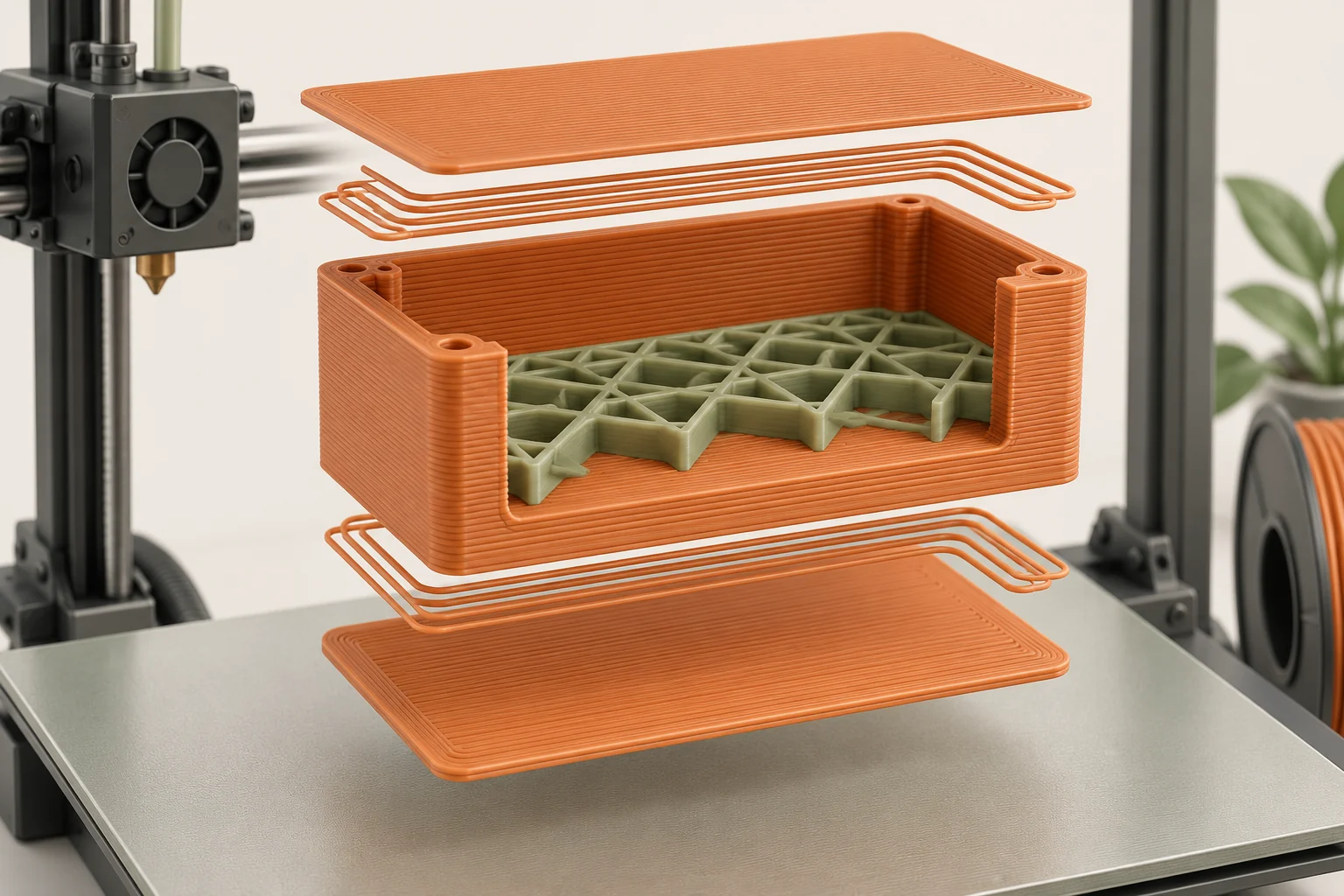
Shells are physical thicknesses assembled from layers. In an illustrative uniform-layer calculation, five layers at 0.20 mm add up to 1.00 mm. Five layers at 0.10 mm add up to 0.50 mm. Keeping the same count while halving layer height can therefore change the material closing the top and bottom.
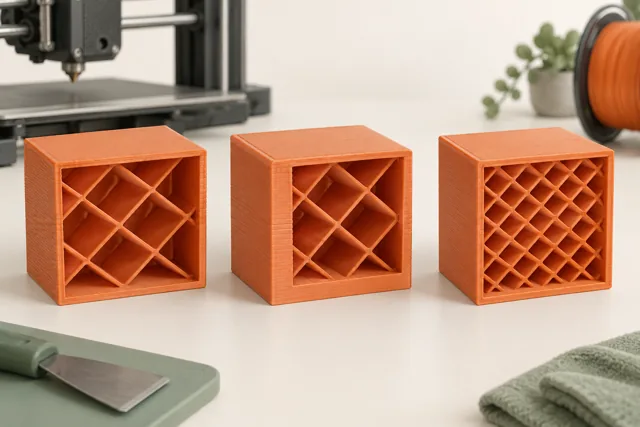
Check whether your slicer settings use a layer count, a minimum thickness, or a combination, and inspect the resulting toolpaths. This is especially important above sparse infill, where the first closing layers must span the spaces beneath them. A smoother curve is not a useful improvement if the top surface becomes inadequately supported.
For a box lid, compare the actual closure thickness and underside support in both sliced versions. Keep that physical requirement consistent when the purpose of the experiment is surface appearance. Otherwise you are testing a thinner lid and finer layers together.
Apply variable layers to a specific region
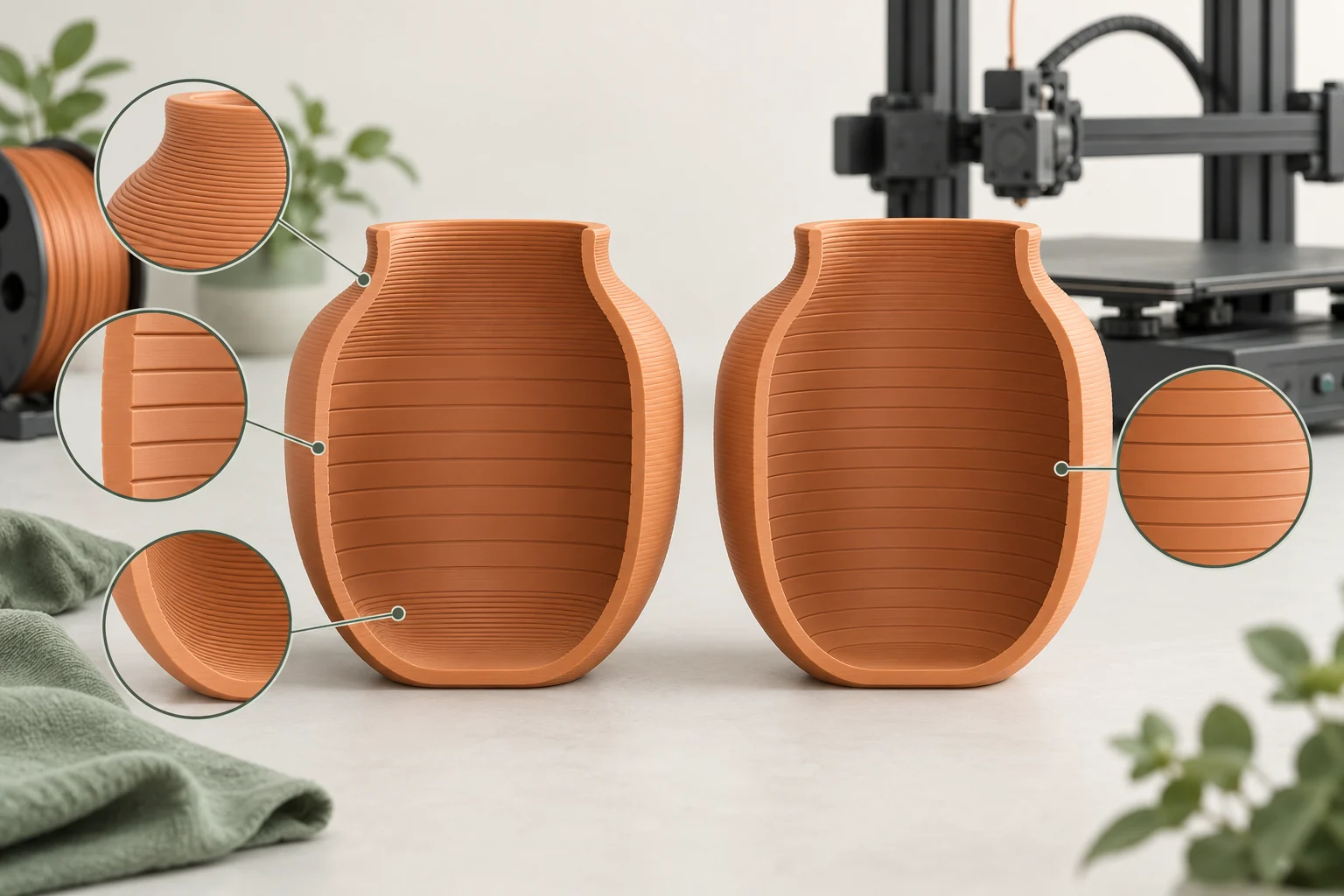
Variable layer height assigns different heights along one object's build direction. Use it when the geometry has a clear reason to change: a long upright body with a curved shoulder is a good teaching example. The objective is to reduce stepping where the outline changes quickly while keeping an appropriate setting elsewhere.
Start from a compatible base profile near the setting used for much of the object. Inspect the proposed contour lines, adjust important regions, and smooth transitions using the slicer's controls. Automatic adaptation is a proposal based on geometry; it cannot know which surface your customer will examine or whether a subtle ridge matters to your assembly.
Remember that a horizontal layer passes through all geometry at that height. If a fine-detail area shares its height with a broad body, the time cost involves that layer as a whole. Check the final estimate and the entire preview rather than judging only the highlighted local feature.
Run a small, fair comparison
Print a representative piece containing the actual curve, text, or mating feature. Keep material, orientation, and other settings consistent where practical. Label samples on an inconspicuous face or in your log so you do not rely on memory. Inspect them under the same light and at the viewing distance that matters for the finished object.
Choose the least demanding setting that satisfies the requirement. A display miniature examined closely may justify a result that a large workshop organizer does not need. If the difference is invisible at the intended distance, the extra time may have no value for that project. Save the successful project and a photo of the feature that determined your decision.
Common questions
Does a smaller layer height make every part stronger?
No. Part behavior also depends on material, orientation, geometry, shell structure, and the actual printing conditions. Do not use layer height alone as a strength rating; test the relevant geometry and loading where appropriate.
Can I use variable layers instead of a smaller nozzle?
They solve different limitations. Variable layers change vertical sampling. A narrower feature in the horizontal plane may require different geometry or a compatible smaller-nozzle setup.
Why did my top surface get worse after selecting finer layers?
Compare the resulting shell thickness and its support. Keeping the same number of top layers while reducing their height can reduce the total closing thickness. Also check whether the new preset changed other settings.
Continue with the sources
- Layers and perimeters Prusa Research · Checked 2026-10-15
- Variable layer height function Prusa Research · Checked 2026-10-15
- Modeling with 3D printing in mind Prusa Research · Checked 2026-10-15
- First print with PrusaSlicer (2.9) Prusa Research · Checked 2026-10-15
- Creating profiles for different nozzles Prusa Research · Checked 2026-10-15
- Infill Prusa Research · Checked 2026-10-15
This guide synthesizes the cited references and includes illustrative examples, not hands-on test results. Follow the instructions for your exact printer, material, and software version. Generated illustrations simplify geometry and equipment; they are not photographs, measured results, or model-specific setup instructions.