Before you begin
A successful support plan does two jobs: it holds the part during printing and can be removed afterward without ruining the result. Generating support is the easy part. Deciding where contact marks are acceptable, whether a tool can reach the interface, and whether an alternate orientation avoids the problem takes more thought.
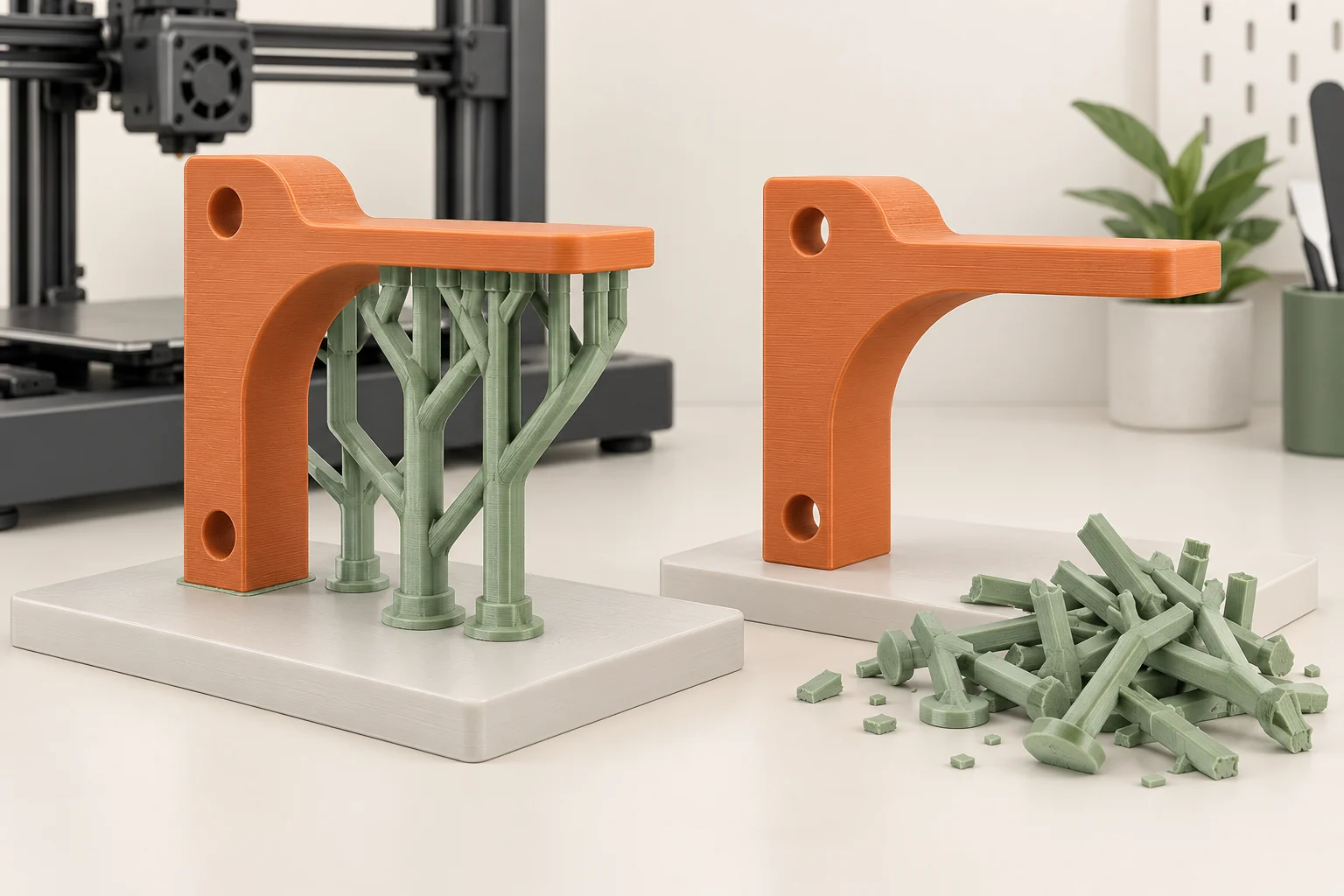
This guide covers breakaway supports for filament printing, with a brief note on compatible soluble materials. Resin supports work through different process constraints and deserve their own workflow. The examples use a small bracket and a hollow display shape to show how to make support decisions before committing to a full print.
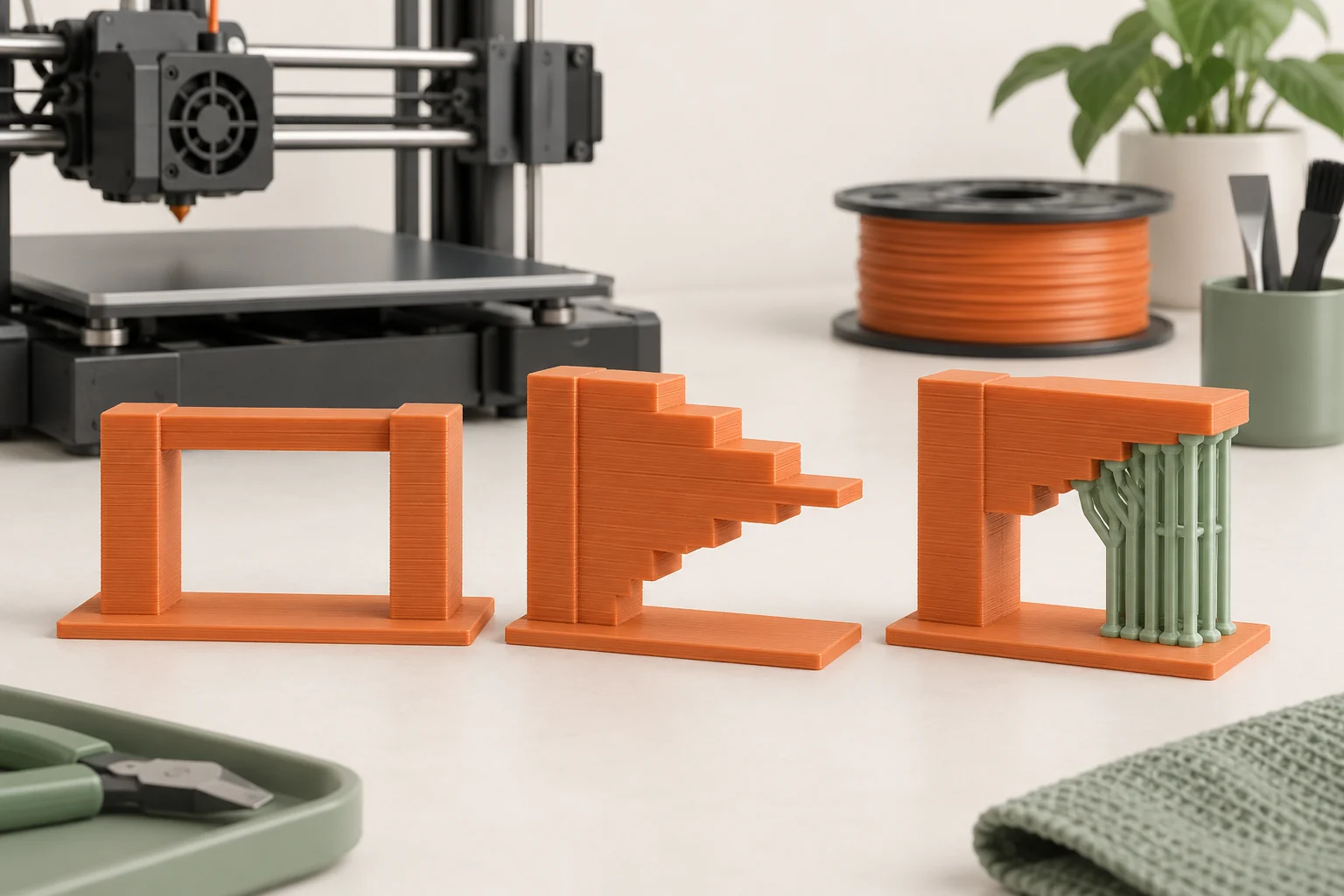
Distinguish an overhang, a bridge, and an island
An overhang extends beyond the material beneath it. A bridge spans between existing anchors. An island begins where there is no supporting material below. These situations are related but not identical. The important question in the preview is what carries the first deposited lines at that location.
Do not treat a single angle as a universal pass or fail boundary. Material, geometry, cooling, layer height, and print settings influence the result. A short bridge in a tested orientation may be acceptable while a much longer span on the same part is not. An isolated island cannot be rescued simply by expecting good bridging.
For a bracket with a horizontal ledge, inspect its first layer. Determine whether existing anchors, overlapping material, or generated support carry the new lines.
Compare orientations before support settings
Rotate the model through plausible print positions and inspect each one. Moving a broad face onto the bed may eliminate a difficult underside, but it can also move marks onto a visible surface or change the direction in which the part is built. Choose orientation around the full requirement: appearance, fit, print stability, and intended use.
An original comparison for the bracket is to save three candidates: upright with the ledge supported, laid on its side, and separated into two pieces with a designed joint. Evaluate footprint, support contact, finishing access, and assembly consequences. A split design only helps if the new joint is acceptable for the application.
Do not optimize support mass alone. A version that uses less support may need more cleanup on a critical face. Label the face that must remain accurate or attractive, then use it as a consistent reference while comparing orientations.
| Candidate | Potential advantage | What still needs checking |
|---|---|---|
| Original upright orientation | Keeps the intended base on the bed | Ledge underside support and removal |
| Rotate onto a broad side | May reduce unsupported regions | Surface marks, dimensions, and build direction |
| Split into printable pieces | Can expose difficult surfaces | Joint design, assembly, and alignment |
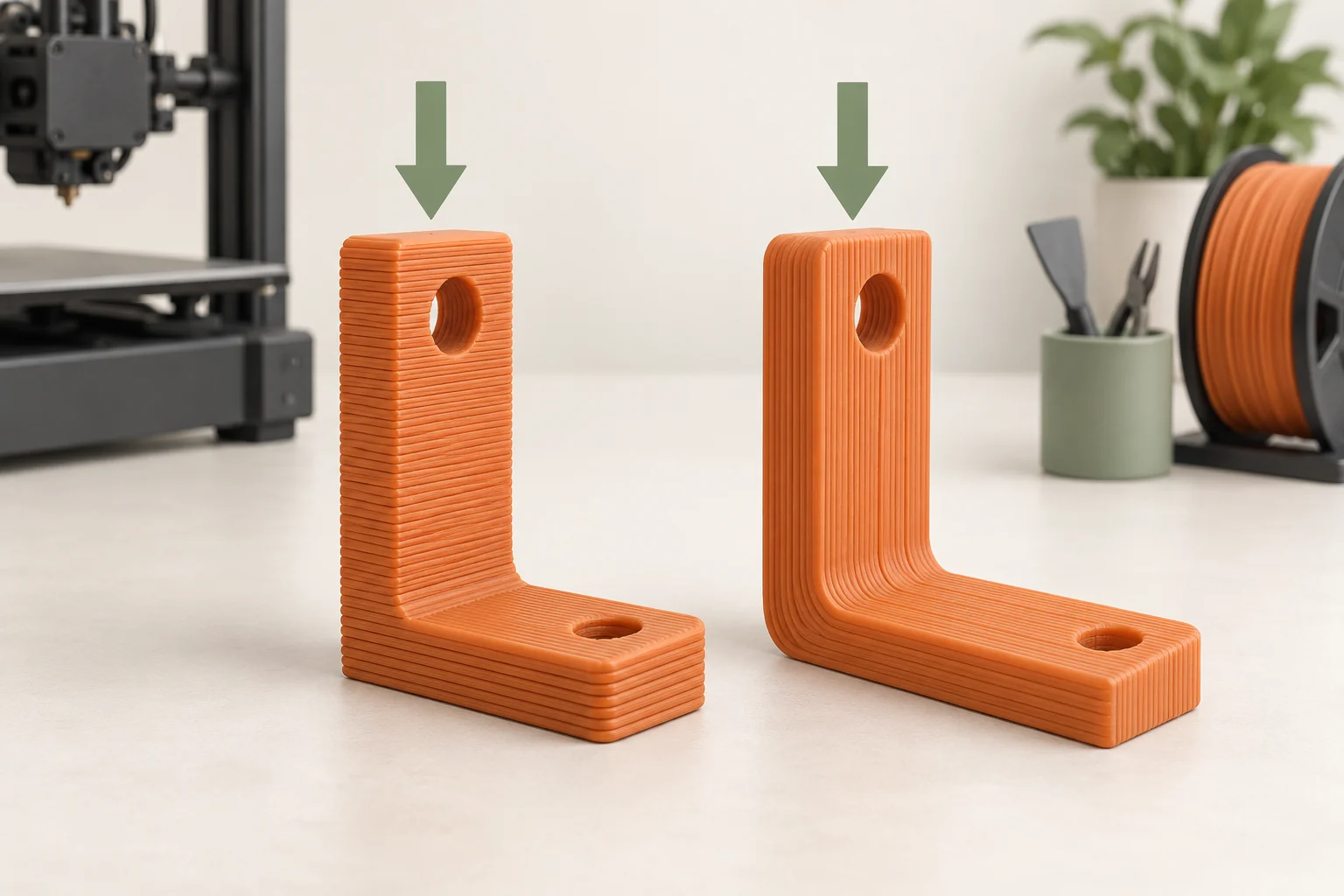
Design an exit route for every support
Imagine the printed support as a real solid structure inside the part. Where will it come out? Can fingers or a suitable tool reach its contact region? Is there an opening wide enough for the broken pieces? A slicer can create a support inside a cavity that you cannot clean out afterward.
A hollow decorative shape with a narrow neck makes a useful thought experiment. If you fill the interior with breakaway support, the printer may complete the object while leaving trapped material. Consider a different opening, a split shell, a changed orientation, or a validated alternative support process before printing. Turning down the support density does not automatically create an exit route.
Check contact surfaces as well as the route out. A fragile feature immediately beside a support may be damaged by the force required to remove it. For repeated production, removal difficulty is a design cost that returns with every copy.
Choose generation and placement deliberately
Automatic supports are a starting proposal. Build-plate-only mode restricts where support can originate; it does not prove that every upper feature is now supported. Supports allowed to start on the model may reach more regions but can leave additional contact marks. Compare the generated structures with the intended removal plan.
Painted enforcers and blockers let you request or suppress support locally. In PrusaSlicer's documented workflow, painting alone does not enable generation; choose the appropriate support mode too. Enforcers-only is useful for a few known regions, while automatic generation with blockers can suit a more complex part. Inspect what was actually generated because very small painted areas may not be followed exactly.
When changing style or placement, trace each support from its base to its contact. Look for narrow tall structures, missed islands, and branches that pass close to surfaces you want to protect. A colored request in model view is not the final support geometry.
Understand the interface tradeoff
Supports commonly use a relatively open structure with denser interface layers near the part. The contact gap and interface arrangement influence the balance between holding the underside and releasing afterward. Too much separation can leave a rough unsupported-looking surface; too little can make removal difficult. Start from a supported preset for the material and printer.
Keep vertical contact separation distinct from sideways separation. A support can release from the underside while still crowding a neighboring wall. Conversely, moving it away horizontally does not directly fix a fused underside. Identify the actual contact that is causing trouble before adjusting a setting.
For a small sample of the bracket ledge, compare one relevant change at a time. Record underside appearance, removal effort, and damage. Do not pick a setting solely because the support peels away easily if the resulting face no longer meets the part's dimensional or visual requirement.
Remove gradually and learn from the contact
Let a filament part reach the prescribed removal condition and take it off the plate using the intended method. Support removal should be controlled: work in accessible sections, support nearby delicate features, and direct force away from your body and the finished surface. Use appropriate eye protection when fragments can fly.
Inspect the underside before sanding so you can tell whether the issue is sagging, fused contact, or damage caused during removal. Those observations point to different next steps. Photograph the contact area and note the orientation. If every copy requires aggressive prying at the same corner, revisit that region's support plan.
Finishing is part of the experiment. If a supported cosmetic face needs a long repair while a rotated version needs only minor cleanup on a hidden face, the rotated version may be preferable even if its machine time is slightly longer.
Treat soluble supports as a complete workflow
Compatible soluble supports can address some difficult access problems, but they add material storage, multi-material printing, and removal requirements. The primary material, support material, hardware, and processing conditions must work together. A water-soluble material label alone does not make every cavity easy to clean or every material pair compatible.
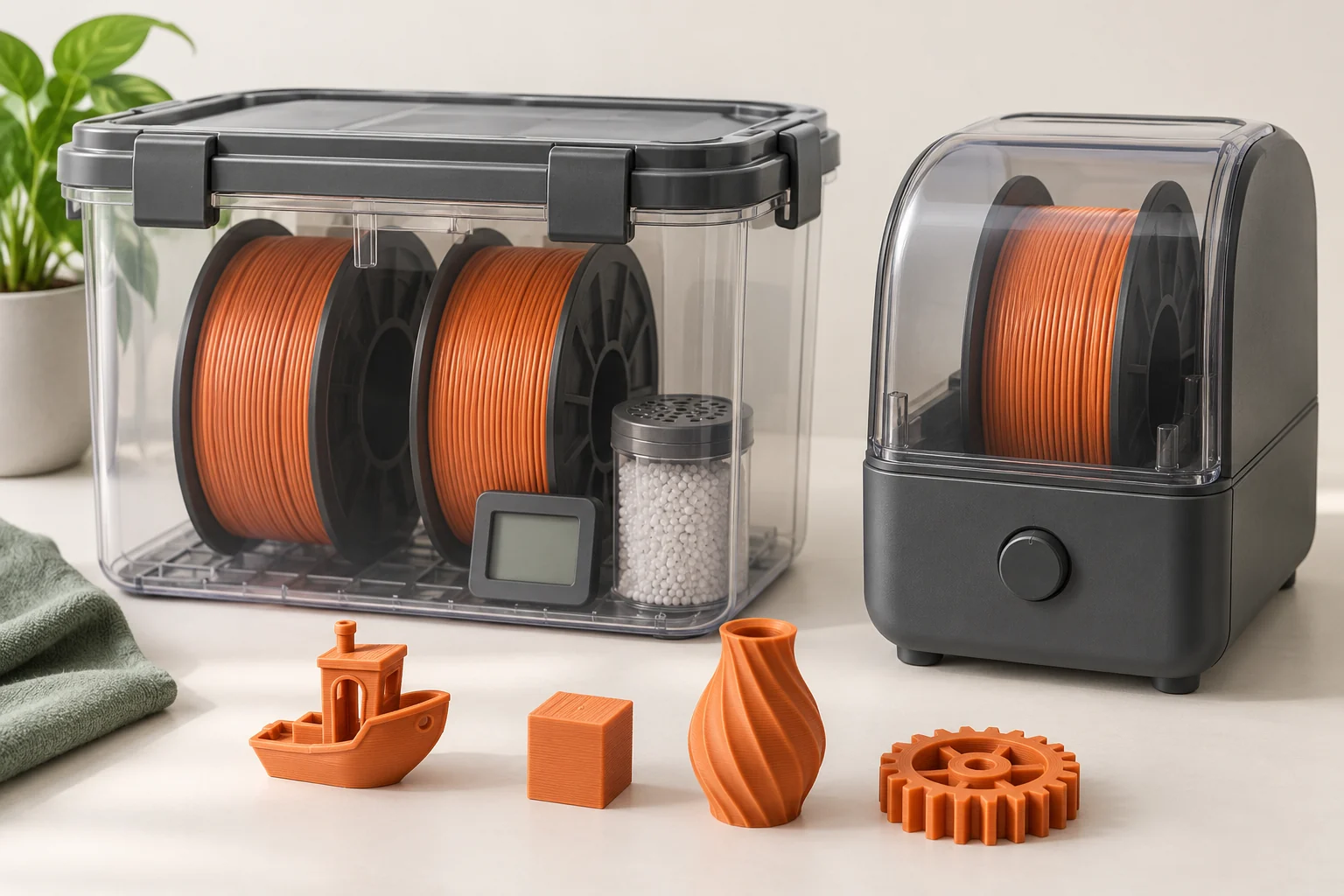
Account for the time and handling needed to remove support from the real geometry, including internal passages. Follow the material supplier's moisture-control and removal instructions, and use the applicable waste route. Test a representative section before committing to a large enclosed part.
Save the successful orientation, support mode, painted regions, and interface settings in the project. If you later scale or alter the model, inspect the support and access plan again. The fact that an earlier version printed does not establish that the revised structure can be reached and removed.
Common questions
Why are my painted supports missing after slicing?
Confirm that generation is enabled and that the selected mode uses your enforcers. Then inspect the size of the painted region and the generated geometry; a very small painted request may not produce an exactly matching support.
Are organic supports always easier to remove?
They can be useful for many shapes, but geometry, contact, material, and access still determine the outcome. Compare the actual generated branches and contact regions rather than relying on the style name.
Should I remove supports while the part is hot?
Follow the manufacturer's cooling and release guidance. A warm part can be easier to deform, and hot equipment adds a handling hazard. Evaluate support settings and access if cooled removal is consistently difficult.
Continue with the sources
- Support material Prusa Research · Checked 2026-10-15
- Paint-on supports Prusa Research · Checked 2026-10-15
- First print with PrusaSlicer (2.9) Prusa Research · Checked 2026-10-15
- Modeling with 3D printing in mind Prusa Research · Checked 2026-10-15
- Approaches to Safe 3D Printing CDC / NIOSH · Checked 2026-10-15
- Water soluble (BVOH/PVA) Prusa Research · Checked 2026-10-15
This guide synthesizes the cited references and includes illustrative examples, not hands-on test results. Follow the instructions for your exact printer, material, and software version. Generated illustrations simplify geometry and equipment; they are not photographs, measured results, or model-specific setup instructions.